

For online stores, Google Shopping can be one of the most valuable advertising channels there is, putting products directly in front of people who are actively searching to buy. But its performance rests on something many retailers overlook, the product feed. Your feed is the data that tells Google what your products are, and the quality of that data quietly decides how often your products show, for which searches, and how well they sell. A neglected feed holds back even an excellent store, while an optimised one can transform results from the same products and the same budget. The feed is the engine, and most underperforming Shopping campaigns are really underperforming feeds.
This guide explains why your product feed matters so much, and works through a practical optimisation checklist to help your products show more often and sell more effectively through Google Shopping.
Why the product feed decides your results
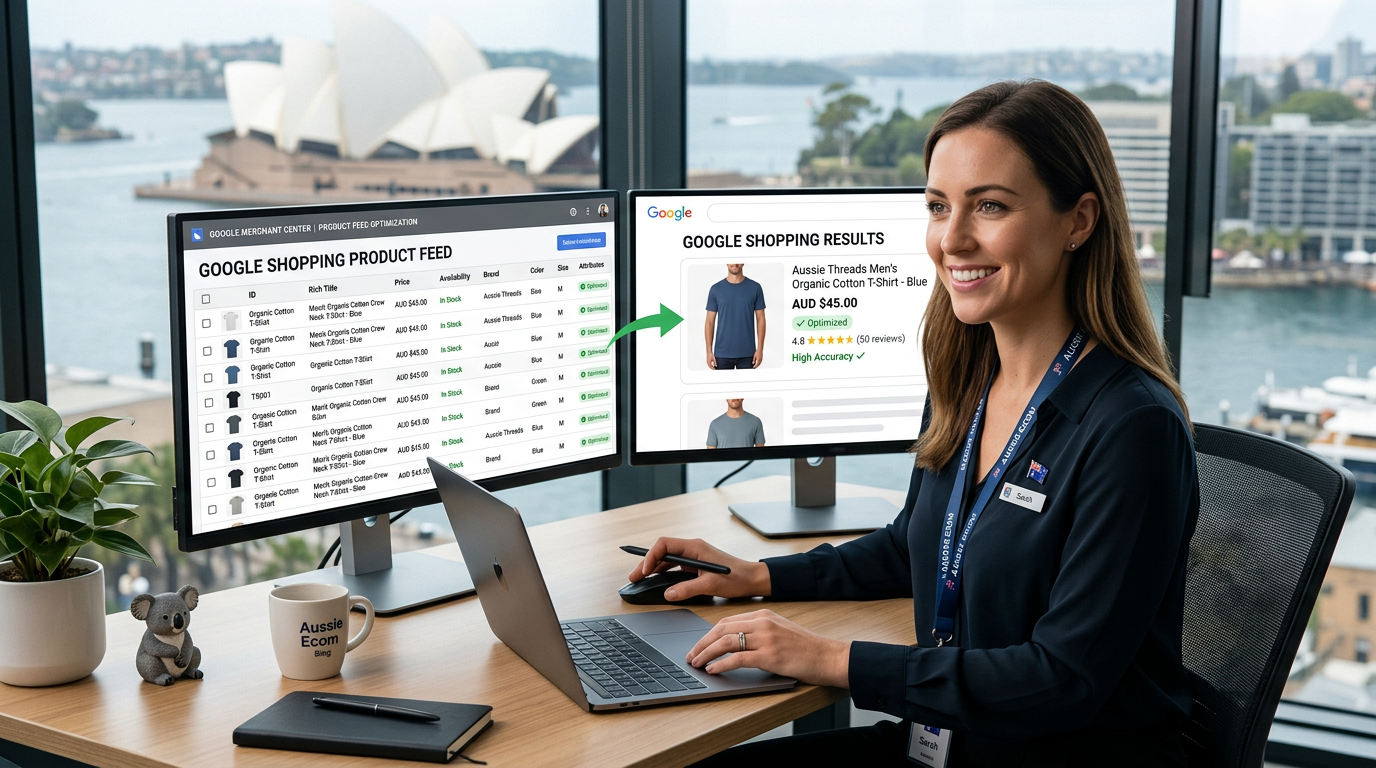
Google Shopping does not work like search text ads, where you choose keywords and write the copy. Instead, Google reads your product feed and decides for itself which products to show for which searches, based on the data you provide. This means your feed is effectively doing the targeting. If the data is rich, accurate and well-structured, Google can match your products to the right searches and show them well. If the data is thin, vague or messy, Google struggles to understand your products and shows them less often, for the wrong searches, or not at all. Understanding that the feed drives everything reframes Shopping optimisation. It is less about fiddling with bids and more about giving Google excellent product data to work with.
Titles are the most important field
If you optimise only one thing in your feed, make it your product titles. The title is the single most influential field, because Google leans heavily on it to understand what a product is and to match it to searches. A weak title, vague or missing key details, leaves Google guessing. A strong title, clearly describing the product with the details shoppers actually search for, such as type, brand, key attributes and relevant specifics, helps Google match it accurately and show it for the right searches. Reviewing and improving your product titles so they are clear, descriptive and aligned with how people search is often the highest-return change you can make to a feed, and it costs nothing but attention.
Complete every relevant attribute
Beyond the title, the more complete and accurate your product data, the better Google can work with it. Feeds often have gaps, missing attributes, empty fields, and details left blank that could help Google understand and match the product. Filling in every relevant attribute, the category, brand, identifiers, key product specifics and anything else that applies, gives Google a fuller picture and more ways to match your products to suitable searches. Incomplete data limits performance, sometimes severely, because Google simply has less to go on. Treating the feed as something to complete thoroughly rather than fill in minimally is one of the clearest markers of a store that gets strong Shopping results.
Get the images right
In Shopping, the image is the first thing a shopper sees, and it heavily influences whether they click. Poor images, low quality, cluttered, or not showing the product clearly, suppress clicks even when everything else is right, because they fail to attract the eye or convey the product. Strong images, clear, high quality and showing the product well, draw clicks and present your products attractively against competitors. Making sure every product has a clean, high-quality image that displays it clearly is essential, because in a visual channel the image does much of the selling. It is worth auditing your feed specifically for weak images, as they are a common and costly oversight.
Keep the feed accurate and current
A product feed is not a set-and-forget asset. Prices change, products go in and out of stock, and details get updated, and if the feed does not keep pace, problems follow. Inaccurate data, such as a price or availability that no longer matches your store, creates a poor experience and can lead to disapprovals that pull products from Shopping entirely. Keeping the feed accurate and current, so it always reflects the real state of your store, is essential for both performance and staying in good standing. This is largely a matter of having a reliable process or connection between your online store and your feed, so updates flow through automatically rather than depending on someone remembering to make them.
A practical optimisation checklist
Pulling it together, here is a practical checklist to work through for your Shopping feed.
- Write clear, descriptive product titles that include the details shoppers search for.
- Complete every relevant attribute, leaving no useful field blank.
- Ensure each product has a clean, high-quality image that shows it clearly.
- Keep prices, availability and details accurate and current at all times.
- Use accurate product categories and identifiers so Google can classify products correctly.
- Fix any disapprovals or warnings promptly so products stay live.
- Review the feed regularly rather than treating it as set-and-forget.
Working through this checklist methodically lifts how often your products show, how well they are matched, and how effectively they sell, often without changing your budget at all.
A practical example
Consider an online store running Google Shopping with disappointing results. The owner assumes the problem is bids or budget, but the real issue is the feed. The product titles are short and vague, giving Google little to work with. Many attributes are blank. Several images are low quality or cluttered. And the feed is updated only occasionally, so some prices and availability are out of date, with a few products disapproved as a result.
The store works through the checklist instead of raising spend. It rewrites its product titles to be clear and descriptive, with the details shoppers search for. It completes the missing attributes across the catalogue. It replaces weak images with clean, high-quality ones. It connects its store to its feed so prices and availability stay current automatically, and clears the disapprovals. The effect is significant. The same products now show more often, for better-matched searches, with images that attract clicks and data that keeps them live. Sales rise on the same budget, because the feed, the engine of the whole channel, is finally giving Google excellent data to work with. The owner did not need a bigger budget. They needed a better feed.
How Webrr Digital can help
Webrr Digital helps businesses grow through practical digital systems that bring together websites, SEO, AI visibility, automation and advertising. For online stores, we optimise product feeds, from titles and attributes to images and accuracy, and connect your store so the feed stays current, so your Shopping campaigns show more, match better and sell more on the same spend. If your Shopping results are underwhelming, our ecommerce and Google Ads work is built to lift them.
Frequently asked questions
Why does the product feed matter so much in Google Shopping?
What is the most important field to optimise?
How important are product images?
Why do my products get disapproved?
Do I need a bigger budget to improve results?
Want more from Google Shopping?
A well-optimised feed lifts results on the budget you already spend. If you want help getting your Shopping feed right, the Webrr Digital team can work through it with you.